
When you “Share” a file from Dropbox, the recipient needs to have a dropbox account with enough space available to share these files with you. Essentially, you share a folder that is in the cloud. If the recipient doesn’t have Dropbox, or their Dropbox is already full, they will not be able to access the file you have shared with them.
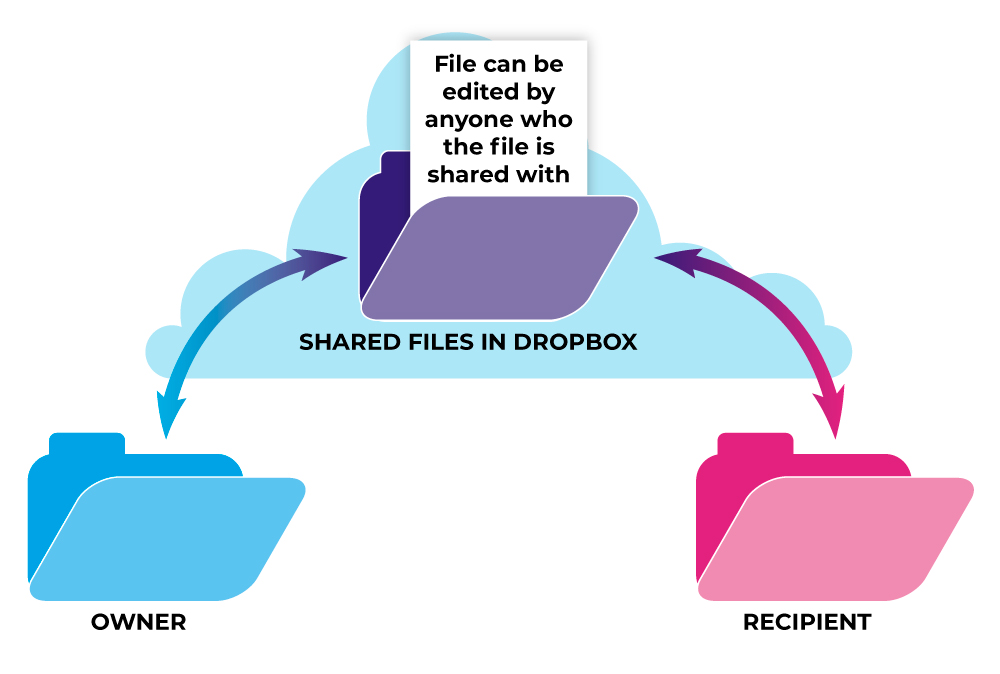
When using Dropbox, a better option is to copy the link, then email that link to the recipient. In this scenario, you are sending the recipient a copy of your file.

Sending a copied link is a much safer way to send files. When you are sharing the files, the recipient could accidentally alter your original file. Fortunately, if the recipient deletes something from a shared Dropbox, it is only deleted for the recipient, not the owner, but the recipient could open your logo, delete the ® mark off of it, save, and your logo would be altered.
Practice Safe File Sharing and email a link to a copy of your file. Don’t share your precious files.